
Online Safety
Click on the 'CLICK CEOP' button above to report a concern.
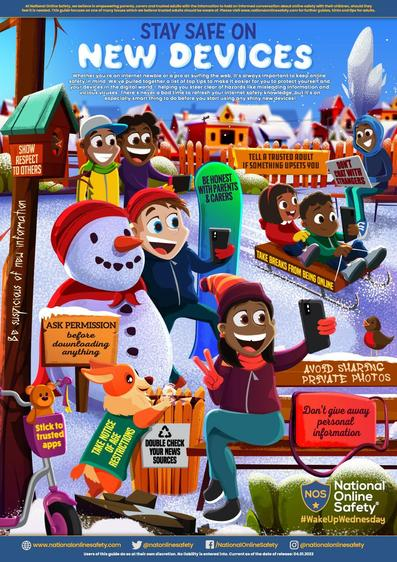
Tips for staying safe online:
There are lots of things you can do to keep yourself safe online.
-
Think before you post
Don’t upload or share anything you wouldn’t want your parents, carers, teachers or future employers seeing. Once you post something, you lose control of it, especially if someone else screenshots or shares it.
-
Don’t share personal details
Keep things like your address, phone number, full name, school and date of birth private, and check what people can see in your privacy settings. Remember that people can use small clues like a school logo in a photo to find out a lot about you.
-
Watch out for phishing and scams
Phishing is when someone tries to trick you into giving them information, like your password. Someone might also try to trick you by saying they can make you famous or that they’re from a talent agency. Never click links from emails or messages that ask you to log in or share your details, even if you think they might be genuine. If you’re asked to log into a website, go to the app or site directly instead.
-
Think about who you’re talking to
There are lots of ways that people try to trick you into trusting them online. Even if you like and trust someone you’ve met online, never share personal information with them like your address, full name, or where you go to school. Find out more about grooming.
-
Keep your device secure
Make sure that you’re keeping your information and device secure.
-
Never give out your password
You should never give out your password or log-in information. Make sure you pick strong, easy to remember passwords.
-
Cover your webcam
Some viruses will let someone access your webcam without you knowing, so make sure you cover your webcam whenever you’re not using it
Fun ways to learn how to stay safe online
Now you've got your new phone, it's time to learn some new skills with our epic interactive stories. Meet the gang, play fun quizzes and win stickers to earn your PhoneSmart Licence.


